Dropbox Is Where Good Video Goes to Die
Most B2B marketing teams already own the footage for their next campaign. They just can’t see it, and the two usual fixes fail in opposite directions.

Imagine a company that has created quite a few video project over the last four or five years. Now with an upcoming product campaign, they start a new video project in motion to capture that product in use a their customer's locations.
Then, someone on the marketing teams remembers, they already shot it that product at a few customer locations a couple years before. The footage has been sitting in their files, untouched.
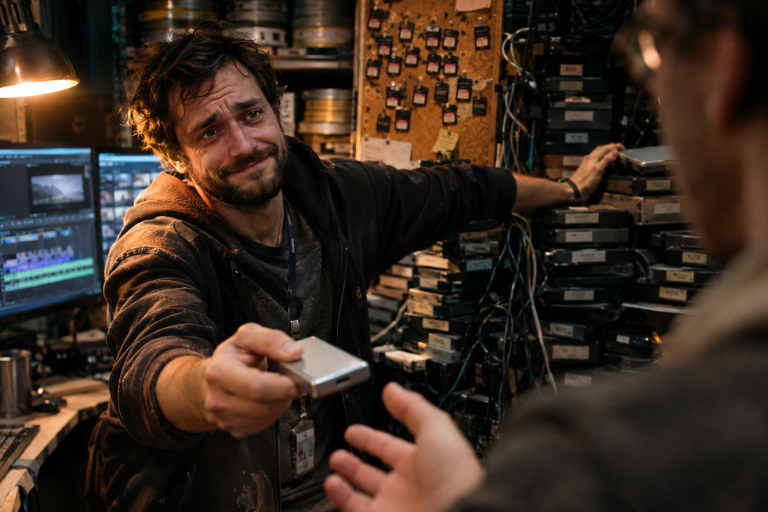
Nobody else at the company remembered. The footage wasn’t lost exactly. It was in a shared drive, inside a folder, inside another folder, under the name of a project nobody thinks about anymore. They had it. They just had no visibility into its existence.
That’s where video asset management often breaks down. You can't use what you can't see and don't remember you have. As a result, they keep paying to recreate material they already own.
For a deeper dive, watch “You Can’t Reuse What You Can’t See” on the Content Wars Podcast.
“We have it somewhere” is an expensive sentence
When a video asset can’t be found, one of two things often happens: the team pays to shoot it again, or the idea that needed it dies quietly in the corner. Neither cost is an ideal outcome, especially considering the asset already exists. Nobody benefits from a campaign that never ran because the right video footage was buried.
Reshoots are the more visible waste. Sometimes there’s a good reason to shoot again, like a new location or product model. Forgetting that you already have the footage isn’t a qualifying reason. That budget could have gone toward something you genuinely don’t have.
It’s also how teams slide into one-off video projects that never add up to anything. Each shoot creates more material, but without a way to find and reuse it, ROI on video content is illusive.
Dropbox is built for storage. Finding video is a different job.
Many marketing teams keep visual assets wherever the rest of the company stores files: Google Drive, Dropbox, or a server IT set up years ago. Those tools do what they’re designed to do. They store files and make them easy to share.
But a folder structure can make a video library impossible to browse. Files are organized around decisions someone made at the time, and finding a clip often depends on knowing which project folder it’s in, or who worked on it. As the library grows, large video files can also make storage, previews, and access more challenging.
Storage answers, “Is it saved?” The more useful question is, “Can someone on our team find the video content they need without asking around?” For many B2B teams, the honest answer is no.
Enterprise DAM software may be more than most B2B teams need
A digital asset management platform can help teams organize and manage their media. But some platforms are built for organizations with complex needs: many projects in flight, licensing to track, and large teams that need different permissions.
A mid-size B2B company may not need that level of control. Some systems can be expensive to set up and maintain, especially as a media library grows. Others are designed to manage documents broadly, with less focus on how marketers browse and reuse video.
So teams compare enterprise platforms, decide they’re more than they need, and stay with the file storage they already have. Many mid-size companies are left looking for a more practical option between the two.
What visual asset management should do
Start with the job, not the file type. A marketer looking for footage is rarely searching for a file name. They’re looking for something like: “our women engineers, in vertical clips, for a LinkedIn post next week.”
A useful system should let your team:
- Browse assets visually instead of scanning file names in folders
- Filter by people, places, products, topics, or services
- Separate finished videos from building blocks like B-roll and interview selects
- Filter by format, including aspect ratio, to find a vertical clip for social
Imagine a company preparing a post for Women in Engineering Day. Someone searches the library for footage of women engineers, filters for vertical clips, and selects a few for a short video. Nothing new needs to be shot.
Or a company finds a clip of an operator walking a field, pairs it with a caption about a new initiative, and posts it. In both cases, the team can act on an idea because the footage is visible and easy to find.
Using footage more than once isn’t a shortcut. Your content should repeat itself. But that only works if someone can find the footage.
The most useful libraries start at capture. Instead of leaving everything buried in a raw export, footage can be organized into B-roll selects delivered ready to use. That gives the team useful building blocks while the shoot is still fresh, and makes them easier to find later.
It also helps to browse the library as a whole and see what’s available, instead of searching through a series of project folders one at a time.
A test to run this week
Find out where your visual assets actually live. Then ask someone who wasn’t involved in the original project to find one specific clip. Time how long it takes, and notice what they have to do to get there.
If they need more than a few minutes, or have to ask a colleague for help, your team has an asset visibility problem.
That problem will continue to grow with every new shoot. The earlier you make assets easy to find, the more likely your team is to reuse what it already owns.