Your Video Repurposing Problem Starts Before the Shoot
Six weeks after a video launches, someone asks for social clips—and the shoot only produced one asset worth cutting up. The fix isn’t a better repurposing workflow. It’s a different brief, written before anyone shows up with a camera.

A video gets made for a campaign, a trade show, a new facility, or a product launch. The finished piece is good. Then, about six weeks later, someone asks for social clips. Sales wants something short for follow-up emails. Leadership wants a LinkedIn post.
You go looking for the link the production company sent, hoping to repurpose footage from the shoot. What you find is a four-minute final cut.
You load it into your favorite video editor and start breaking down the four-minute video into three or four shorter clips, post them, and then...the content well runs dry.
That isn’t a limitation of repurposing. It's a limitation of a decision that was made before the shoot, when the brief asked for one video and nothing else.
If you want to hear a deeper discussion of this topic, watch “The One-Video Trap in B2B” on the Content Wars Podcast.
Key takeaways
- A finished video limits what you can repurpose because the edit has already left out most of the reusabe usable comment and footage.
- The brief and capture plan limited what was shot and what you’ll be able to reuse later.
- A one-video brief can make sense for a scripted ad. It often wastes the potential of interviews and operations footage.
- Before a shoot, ask your vendor what happens to the unused footage and whether you can get it as organized, standalone clips.
- Measure a shoot by how many useful assets it produces over the next 90 days, not just by views on the main video.
Why most video repurposing runs out after three clips
Most repurposing advice starts with harvesting from a finished video: cut it into short clips, pull a quote, write a blog post from the transcript, or make a teaser. That can work well for a 45-minute podcast. There’s plenty of material to work with.
A B2B brand, product, or customer story video is different. It’s usually two to four minutes long and already represents the tightest version of the story. Every second was selected because it fit the arc. Slice it up, and you may end up with pieces that only make sense in the context of the original video.
Meanwhile, the footage that could stand on its own was never prepared for reuse. A full day of shooting can produce six hours of footage. After removing false starts, interruptions, and unusable parts of each shot, you might have over two hours of usable material. A four-minute final cut uses about 3% of those usable assets.
That’s why your well runs dry. The material you needed was captured, but the actively planned to waste it.
The one-video brief follows a different kind of production
A one-video brief makes sense when everything is scripted and every take repeats the same planned moment. The editor chooses the best version and discards the rest. Throwing footage away is part of that process.
But many B2B shoots are different. When you interview executives, film engineers explaining a process, or record a customer describing what changed, the footage isn’t scripted. The material left out of the final cut isn’t necessarily a set of failed takes. It may be different ideas, explanations, and moments that could each carry a message of their own.
The market around that footage has changed, too. A single video might once have been enough for a trade show and a website. Now, companies also need a steady stream of content for social and other platforms where buyers spend time. Forrester’s research on more than 17,000 business buyers found that social media is a meaningful source of information during B2B buying.
The job of a video shoot has drastically expanded. It may still need to produce one main video, but that video alone won’t supply every message and format the company needs. Your shoot should also capture material for the platforms where your buyers already are.
How do you repurpose video content in B2B?
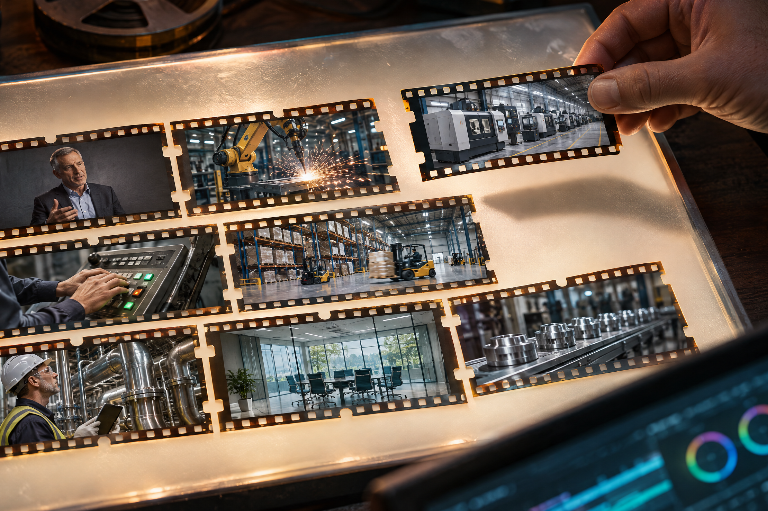
Plan for reuse before the shoot. Identify the messages and visuals your company will need, capture them, and have the editor prepare usable footage as a library of standalone clips. Then build social clips, sales follow-ups, internal pieces, and future videos from that reusable video asset library, not just from the finished video.
That depends on how the footage is edited. In a traditional edit, the editor selects the pieces that fit the final video and leaves the rest behind. In a modular edit, the editor first trims and color grades usable interview comments and supporting shots, then organizes them by topic. The final video is still made. It’s simply one of several assets the footage can become.
Distribution plans and content calendars won’t help much if you don’t have enough usable material to fill them.
What this looks like in practice
Run a pre-shoot inventory across the company
Before you book the crew, expand the conversation beyond the person who requested the video. Instead of asking only, “What does this video need to say?” ask, “What other communication needs could this shoot support?”
Ask around:
- Sales: What do prospects misunderstand or ask about most? What would they benefit from seeing?
- Leadership: What positions or messages will they need to communicate this year?
- HR and recruiting: What should candidates understand about the work and the people?
- Operations: Which processes, stations, or capabilities are hardest to explain without seeing them?
- Internal communications: What do other teams or facilities need to understand about this part of the business?
Turn the answers into two lists: what needs to be said and what needs to be shown. Those lists become your interview topics and shot list. The crew can capture more value on the same shoot day because they know what to look for. It’s the same discipline as planning content around what’s already inside your company, applied to a single shoot.
Ask these questions before you sign
Most video vendors won’t bring this up for you, so ask:
- What happens to footage that isn’t used in the final video?
- If you’d normally discard or keep it, can we receive it?
- Can you prepare it as standalone clips grouped by topic or area?
- Will those clips have clean audio and consistent color, so they’re ready to use?
- Who owns the footage, and is that written into the contract?
If the answers are “we’d have to quote that” or “we keep the raw files,” it is best to find that out before the contract is signed. Trying to sort it out after the deal is done will be harder and more expensive.
Use formats that work with standalone clips
Once you have a library, a few formats can carry a lot of the work:
- A B-roll clip posted on its own. A machine running, a product taking shape, or a team at work can show what you do without a lot of explanation.
- An interview clip with written commentary. Share one clear thought from an executive or expert, with a few lines of context in the caption.
- A mixed edit. Combine an interview clip with supporting footage, or bring together several short comments on one topic for a recruiting post, sales follow-up, or internal update.
These formats don’t need another shoot or the finished video. Here are some examples of short-form B2B clips built this way.
Plan the first 90 days
A well-planned shoot can feed more than one launch. Here’s one way to use the footage over the first three months:
- Weeks 1–2: Publish the main video. Share it internally, too; other teams may be an important audience for it.
- Weeks 2–6: Post one or two standalone clips each week, mixing B-roll with interview comments. The people featured in the clips can share them from their own accounts.
- Weeks 6–12: Build mixed edits for specific needs, such as recruiting, sales follow-ups by topic, or an internal explainer. Look at which messages resonated and share more clips on those themes.
Repeating a message in different formats over several weeks isn’t a weakness. That’s how people have more than one chance to see it and remember the message. This is why your content should repeat itself.
Measure the shoot, not just the video
Track what the shoot makes possible:
- Assets published per shoot in the 90 days after production.
- Engagement on the platforms where your buyers spend time, especially on posts from the people featured in the footage, as these will often get more traction than the company's posts. If you want to get your team involved in your social effort, look at tools like Content Flight.
- Sales usage: How often do clips appear in follow-ups, proposals, and active deals?
- Requests covered without a new shoot: How often does someone’s need get met with footage from the library?
Views on the main video tell you about one asset. They don’t tell you what happened to everything else you paid to capture.
“We only need the one video”
Sometimes that’s true. If you’re making a scripted ad with one tightly defined purpose, a one-video brief may be the right brief. Much of the footage may not have a use beyond the final cut.
But many B2B shoots involve interviews with experts, walk-throughs of operations, or conversations with customers. On those shoots, “we only need the one video” often means “we only need one video today.” Later, sales wants clips, a new hire needs context, or leadership wants something to post.
One industrial manufacturer asked us for a single capabilities video for five facilities and was offered two approaches: a project-based option for those five videos, or a broader approach built to support ongoing content. They chose the single videos. After seeing how much usable footage the first shoot could produce, they reopened the conversation about the broader approach before moving on to the next facility. The first video helped them see what they’d be wasting.
Not every shoot needs a 90-day content plan. But whether to leave hours of usable footage unprepared should be a deliberate decision, made before the shoot, not something the edit decides by default.
Plan the next shoot differently
If your repurposing keeps running out of material, the content calendar may not be the problem. The brief may be. It asked for one video, so the shoot was planned around one video, and the rest of the footage was left unused.
Before the next shoot, take inventory of what other teams need, ask your vendor what happens to the footage, and put the editing instructions in the scope. Then you’re not trying to stretch four minutes into a content program. You’re working from a library you planned for.
If you’re still treating every video as a standalone project, read more about why one-off videos cap your content’s potential.
Frequently asked questions
What is content repurposing?
Content repurposing means using material you’ve already created to make new assets for different channels, formats, or audiences. For B2B video, valuable source material may include interview comments and supporting shots that didn’t make the final cut. Repurposing works best when that footage is prepared as standalone clips and stored where your team can find it.
Why should you repurpose video content?
The major costs of a video shoot—crew, travel, planning, and your experts’ time—are already paid whether you use four minutes or two hours of the footage. Reusing the footage can spread those costs across more assets and give your team more material for different channels and needs. It also gives people more chances to encounter your message in different formats.
How do you repurpose video for different social platforms?
Start with clips that make sense on their own, rather than slices that depend on the full video for context. Adjust the aspect ratio, length, and captions for each platform. When appropriate, have the people featured in the clips share them from their own accounts, too. Keep the core message consistent even when the clips and formats change.
What are common objections to content repurposing?
Common concerns are that the content will feel repetitive, that repurposing will take time away from creating new content, or that the source material won’t be useful. Repetition can help; buyers won’t see everything you publish. The other concerns are easier to address when reuse is planned before the shoot and the editor delivers an organized library of usable clips.